

Fixing a laptop's mobo
Fixing a laptop's motherboard by replacing a blown capacitor. And some thoughts about it.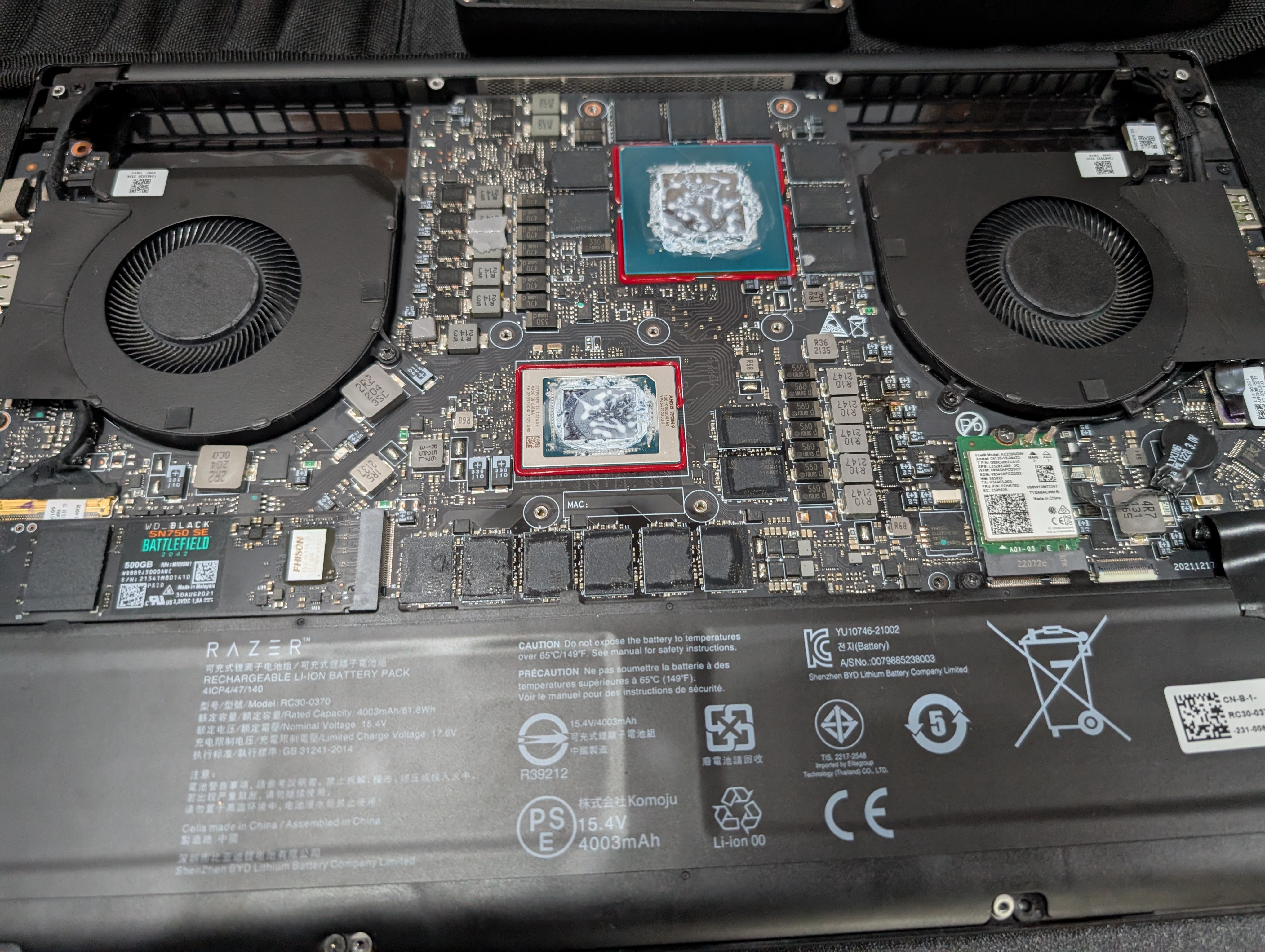
After half an hour of trying to power it on with different procedures aiming at emptying the CMOS, ensuring the Power adapter was fine and the power plug were fine, it was clear that there was indeed a real hardware issue. I opened it up, removed the heatsinks aaaand… boom. A blown capacitor have also blown part of a closeby chip.
Blown parts
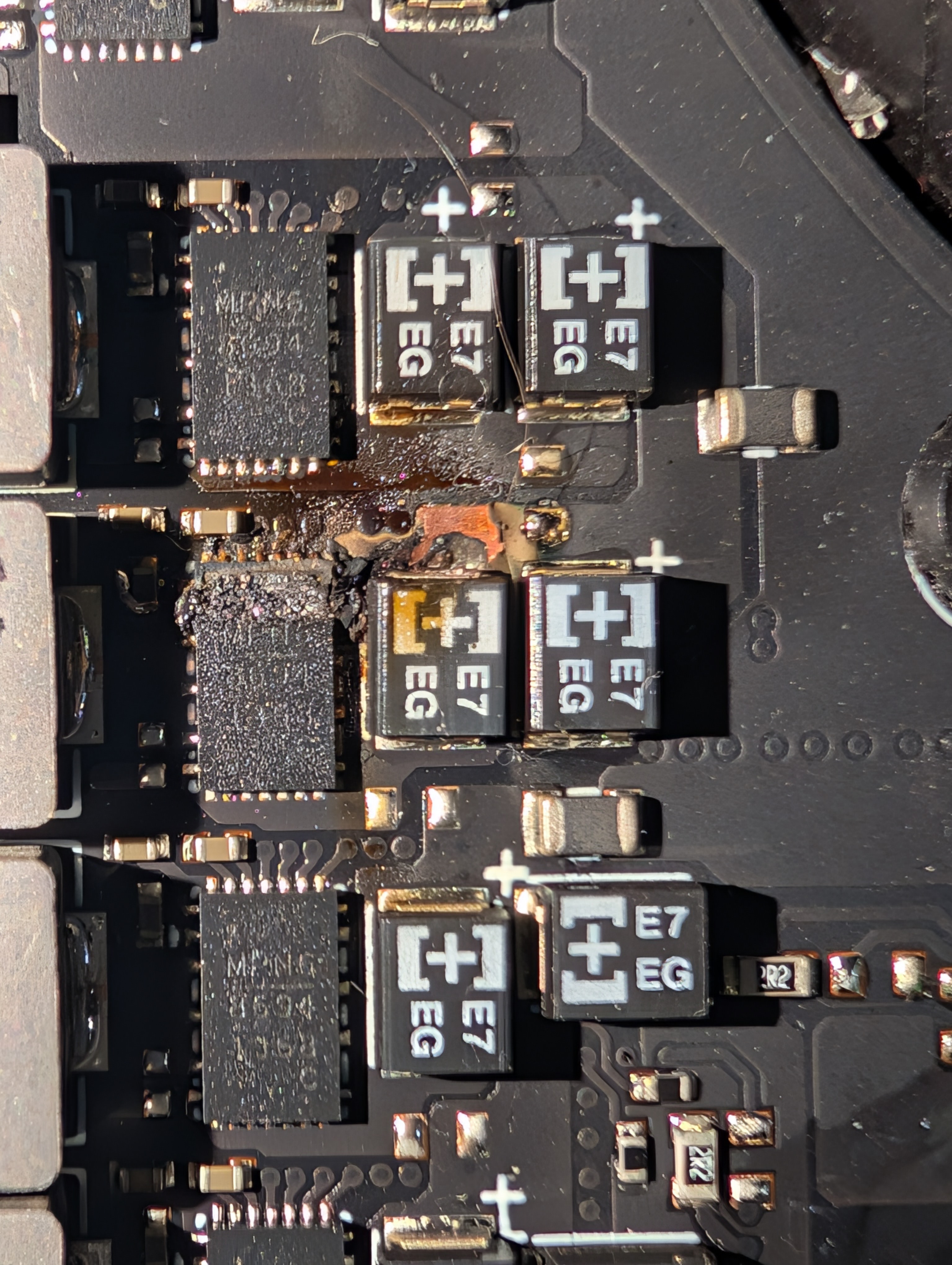
I’ll also have to see if the PWM controller is still working. Maybe the resistor around the chip is damaged too, but it looks fine to me.
Spare parts
So after looking around, here are the parts that should be suitable for a repair :
Equipments
I’m planing on making the reparation myself in an artisanal way. This doesn’t mean it won’t be clean but this will be my first reparation of this kind, so I’ll try to do it with the tools I have at hand.
- HS-02 Soldering iron
- Fanttik E1 Max electric screwdriver
- A cheapo numeric microscope
- A desoldering pump
- Flux
- Kapton tape
- Isopropyl alcohol 99.9%
- Solder wire
- Thin air wire
Battle plan
- Remove the heatsinks and clean the old thermal paste
- Clean up the area around the damaged components with isopropyl alcohol
- Desolder the damaged components using flux and the desoldering pump
- Clean up the pads with isopropyl alcohol
- Apply flux on the pads
- Solder the new components in place
- Clean up the area with isopropyl alcohol
- Reapply thermal paste and reattach the heatsinks
- Reassemble the laptop and try to power it on
- Pray to the hardware gods for it to not just immediately blow again